

Description
Download Free Movies Box – free movies, streaming, movie catalog, Windows, desktop application, home cinema, watch movies online, no cost, full movie streaming, entertainment software
Overview
Free Movies Box is a desktop application designed to provide users with access to a large collection of movies for streaming directly from their PC. The software aims to deliver a home cinema experience by aggregating a catalog of over a thousand films, organized by genre such as action, comedy, and thriller. It is intended for casual viewers and entertainment enthusiasts seeking a no-cost alternative to commercial streaming platforms. The software operates as a standalone desktop application, requiring no subscription or payment to access its content. While the developer did not provide additional background information, the application is positioned as a free entertainment tool for Windows users. Real-world usage scenarios include watching films during leisure time, exploring new genres, or discovering older titles without the need for external streaming services. The software’s primary function is to simplify movie discovery and playback through a centralized interface.
Key Features & Capabilities
- Extensive Movie Catalog – Free Movies Box compiles over a thousand films into a searchable library, categorized by genre to improve navigation and discovery.
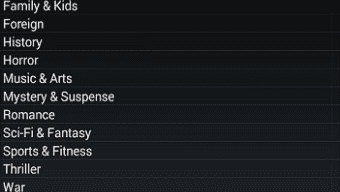
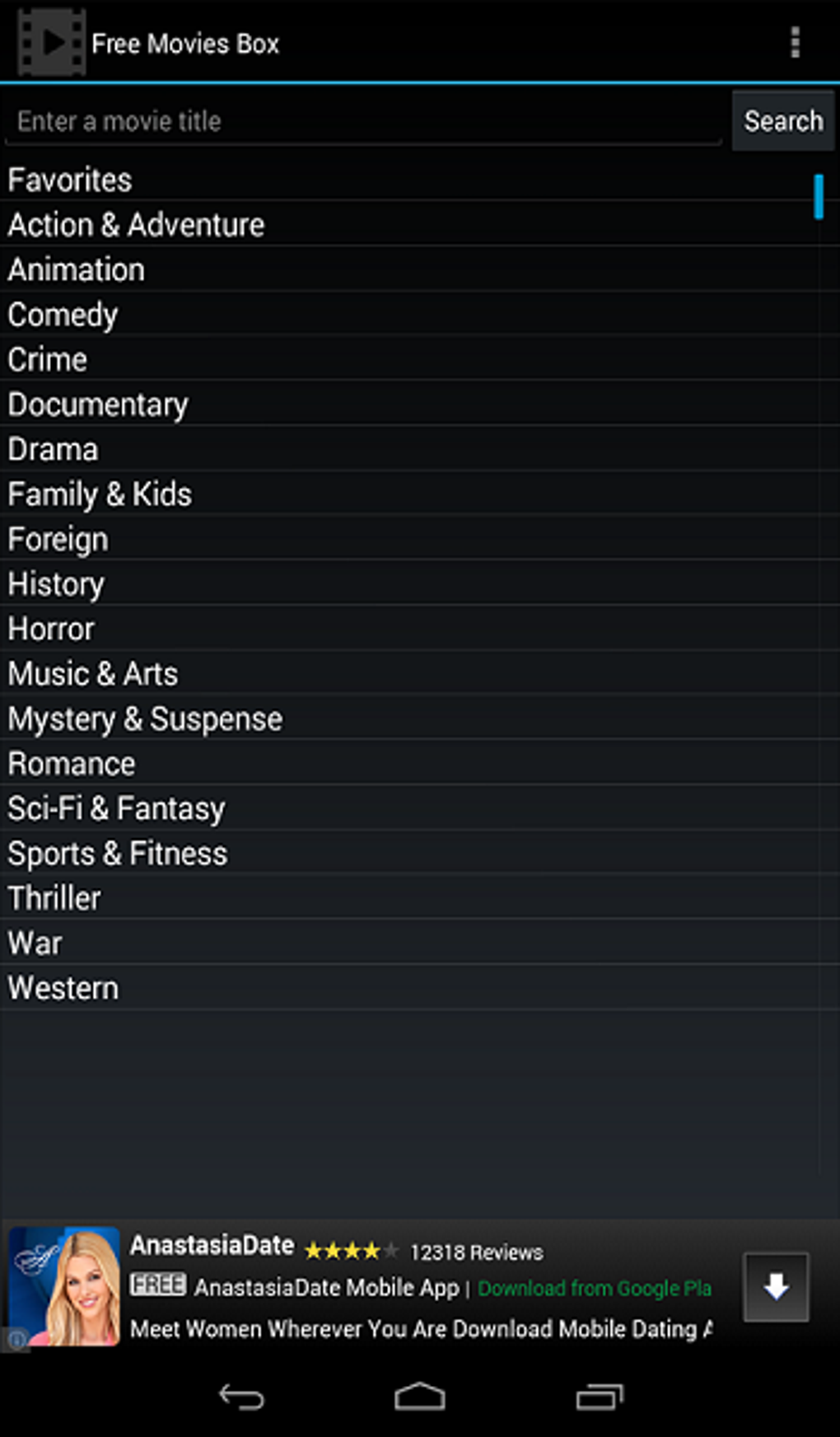
- Genre-Based Organization – Users can browse movies by genre, allowing for easy access to preferred types of films such as action, comedy, or thriller.
- Integrated Search Engine – A built-in search function enables users to look up specific titles or actors, streamlining the process of finding desired content.
- Basic Built-In Media Player – The player supports core playback functions including play, pause, volume control, and full-screen mode.
- Offline Access (Implied) – As a desktop application, Free Movies Box allows users to stream movies without requiring a constant internet connection after initial loading.
These features support a straightforward movie-watching workflow, particularly for users who prefer a local application over web-based streaming services. The genre-based layout helps reduce browsing friction, while the search engine enhances usability for targeted viewing. The basic player ensures that playback remains functional without complex configuration. However, the developer did not specify whether the software supports advanced playback options such as subtitles, playback speed, or multiple audio tracks.
User Interface, Workflow & Performance
The user interface of Free Movies Box is described as minimal and functional, prioritizing accessibility over visual polish. Navigation is structured around a main menu with genre categories and a search bar, allowing users to move between sections with ease. The workflow is straightforward: select a genre, browse the list, choose a movie, and begin streaming. While the interface is simple, it may lack advanced customization options or personalized recommendations. Performance observations are based on general software behavior patterns, as exact performance details were not specified. Some users reported difficulties launching certain movies, suggesting potential inconsistencies in playback reliability. The software’s resource usage, including CPU and RAM behavior, was not disclosed. Stability appears to vary depending on the content being streamed, with some titles loading successfully while others fail to launch. The developer did not specify resource usage details, so users should monitor system performance during extended use.
Compatibility & System Requirements
Free Movies Box is compatible with Windows operating systems, as explicitly stated. The software version is 1.0, and the installation size is 50.2 MB, indicating a lightweight footprint. The developer did not provide additional system requirements, such as minimum RAM, processor speed, or disk space. Compatibility information was partially provided, leaving users without clarity on whether older or newer Windows versions are supported. The lack of detailed hardware specifications means that users should exercise caution when installing on systems with limited resources. It is recommended to check for any known issues on community forums or support pages if problems arise during installation or operation. The software is designed for desktop use and does not support mobile or tablet platforms.
Pros and Cons
Pros
- Free to download and use with no subscription required
- Large catalog of over a thousand movies available for streaming
- Genre-based organization improves content discovery
- Integrated search engine enhances navigation
- Lightweight installation at 50.2 MB
Cons
- Some movies fail to launch or stream consistently
- Basic media player with limited playback features
- Catalog quality varies; includes many low-rated or outdated films
- No information on system requirements or performance impact
- Developer did not provide updates or support details
FAQ Section
Is Free Movies Box safe to download and use?
The software is available for free, but users should exercise caution when downloading from third-party sites. It is recommended to verify the source and scan the file with antivirus software before installation.
Does Free Movies Box require an internet connection?
Yes, an active internet connection is required to stream movies. The software does not store content locally, so streaming depends on real-time access to online sources.
Can I use Free Movies Box on Mac or Linux?
Based on the provided information, Free Movies Box is only confirmed to run on Windows. There is no official support for Mac or Linux systems.
Is the software updated regularly?
The developer did not provide information about update frequency or release schedule. Users should check for new versions manually if available.
What kind of license does Free Movies Box have?
The software is distributed as free-to-use, but the specific license type was not disclosed. It is intended for personal, non-commercial use.
Final Thoughts + CTA
Free Movies Box offers a no-cost entry point into a vast library of movies, making it a viable option for users seeking free entertainment on their Windows PC. While the catalog includes a mix of quality films and lesser-known titles, the ability to browse by genre and search for specific movies adds practical value. The lightweight design and straightforward interface make it accessible even on modest hardware. However, inconsistent playback and a basic media player limit its appeal for power users. For casual viewers willing to explore a free, desktop-based streaming solution, Free Movies Box is worth trying. Despite its limitations, it remains a functional alternative in the landscape of free movie software. Download Free Movies Box now.
Guides & Tutorials for Free Movies Box
How to install Free Movies Box
- Click the Preview / Download button above.
- Once redirected, accept the terms and click Install.
- Wait for the Free Movies Box download to finish on your device.
How to use Free Movies Box
This software is primarily used for its core features described above. Open the app after installation to explore its capabilities.
User Reviews for Free Movies Box 0
No reviews found





